
Tummy time log: time each session and see the minutes per day, shared with everyone who helps
To keep a tummy time log, add Tummy time as a routine in Milkstop with a timer. Start it when your baby goes down on their tummy and stop it when you pick them up. Everyone in your household logs to the same routine, and Trends shows tummy time minutes per day. Milkstop sets no targets or goals.
We make Milkstop, so weigh our view accordingly.
Short sessions add up across the day, and when two or three people are doing them, it's hard to know how much happened. A simple log keeps it all in one place for everyone.
Add tummy time as a routine
- Tap the + button in the centre of the dock to open "New entry", choose Routines, then tap Add or edit routines.
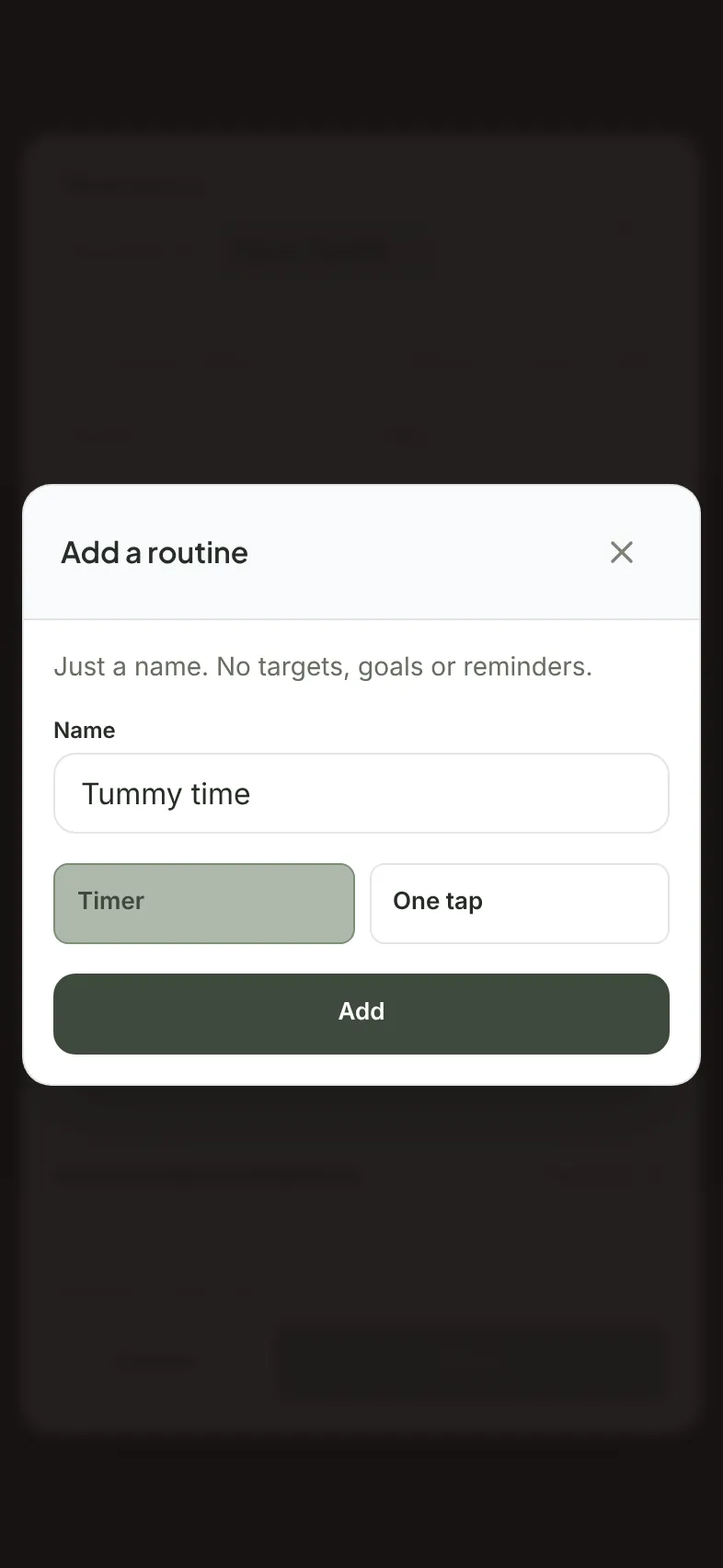
- Name it "Tummy time" and choose Timer. One tap also works if you only want to note that it happened.
- Save it. Routines are shared with your household, up to 12 per household.
A routine is just a name. Milkstop sets no targets or goals.
Timing a session
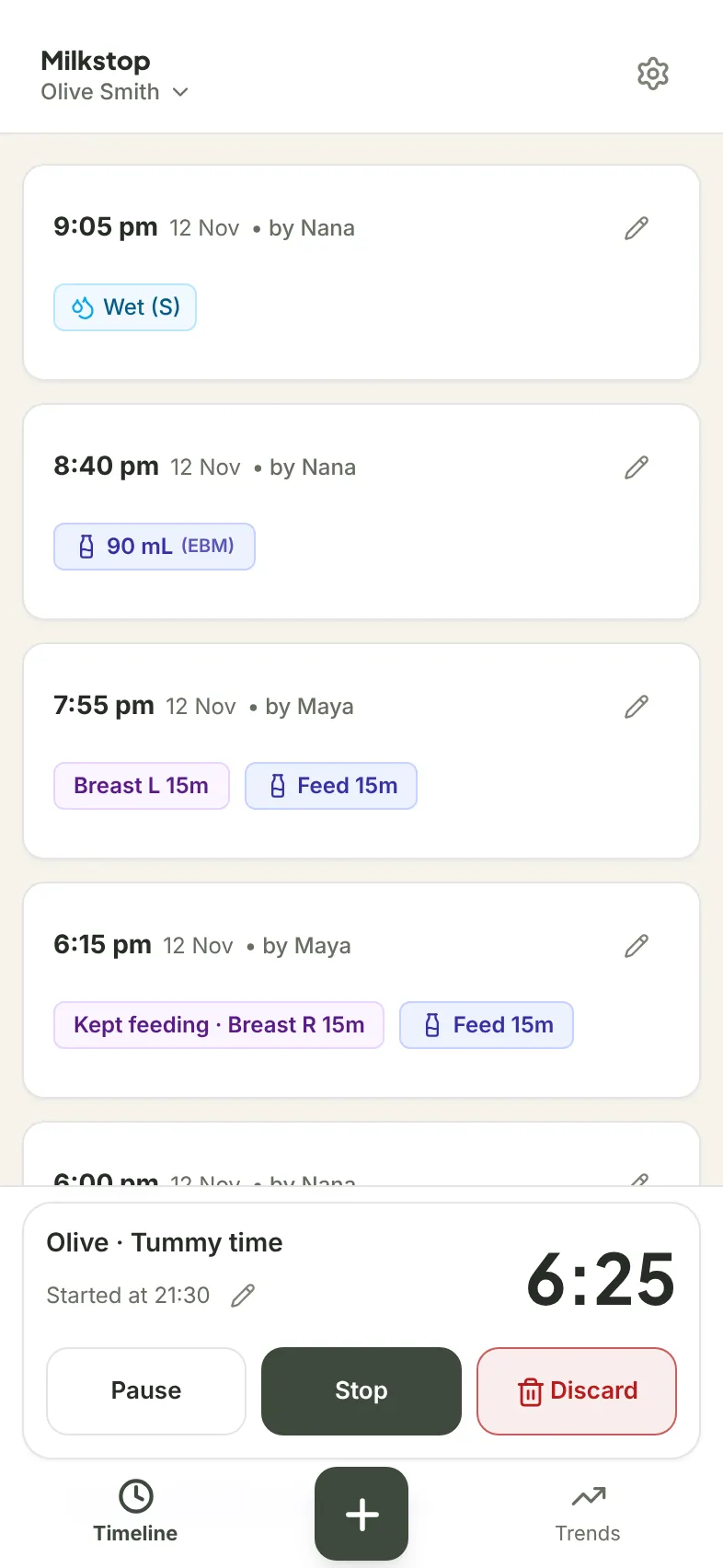
- Tap Routines in the dock and choose Tummy time. The timer starts.
- If your baby needs a break, tap Pause, then Resume.
- Tap Stop when the session's done. The sheet opens with the minutes filled in. Add a note if you want, then tap Save.
Started late? Use Edit start time. Started by mistake? Tap Discard. Forgot to time it? Open New entry, choose Routines and Tummy time, set the time and How long (min), then Save. You can log past times, but not future ones.
Everyone logs to the same tummy time
Your partner, a grandparent or a nanny joins your household with your invite code and their own sign-in, and sees the same Tummy time routine. In Settings, under Family & Household Management, copy your Caregiver Invite Code and send it to them. Invite as many caregivers as you like. Each entry shows who logged it. Our guide to sharing a baby log with your partner has the full steps.
Entries sync when you're online with the app open. Once your phone has synced, your partner can pull down on the log to refresh, or reopen the app, to see your entries.
If someone's minding your baby, our baby handover sheet covers what to write down for them.
See minutes per day in Trends
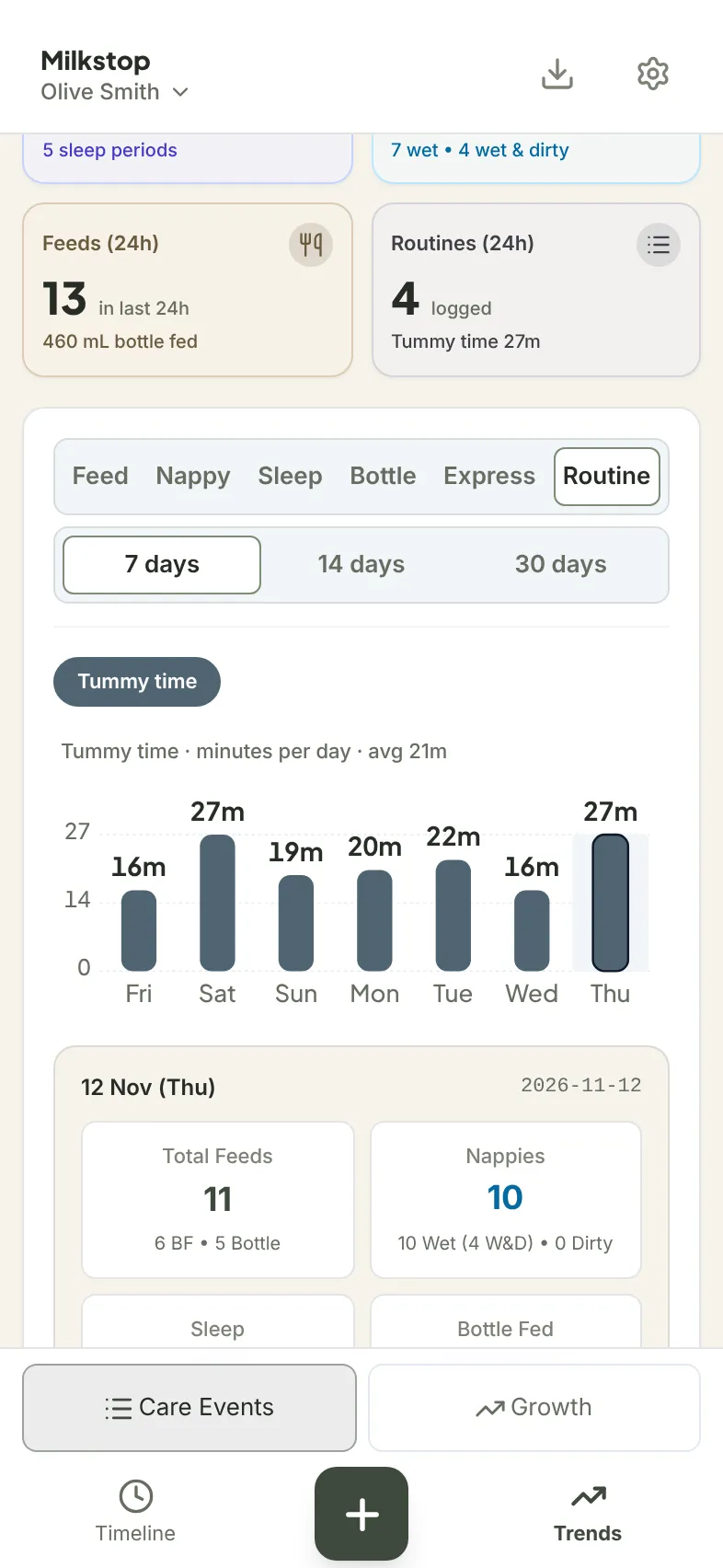
In Trends, choose Routine, then Tummy time. You'll see a chart of tummy time minutes per day over 7, 14 or 30 days, with the average per day. The Routine choice appears once your household has a routine.
These are the minutes you logged. Milkstop doesn't compare them with any target.
How much tummy time?
Milkstop doesn't recommend an amount. Public health sources describe it like this:
- Pregnancy, Birth and Baby says: "'Tummy time' means giving your baby time on their stomach while they're awake and you're there with them." It also says: "Never leave a baby unsupervised on their tummy."
- The NHS says: "Only do tummy time when your baby is awake and alert, and you're there to keep an eye on them."
If you have questions about tummy time or your baby's movement, ask your child health nurse, midwife or doctor.
Logging offline
Once Tummy time is set up, you can time and log it with no signal, and entries sync when you're back online with the app open. Adding or editing a routine needs a connection. See how offline logging works.
Export your tummy time
Routine entries are in CSV and PDF exports. Go to Settings → Baby & Routine Profiles and tap Export on your baby. In the PDF, a timed session shows like the other entries, for example "Tummy time · 15m". The CSV has "Routine" and "Routine minutes" columns. Keep all Data Categories selected so routine entries are included. PDF and CSV exports are free, up to 5 exports per hour per household. More in our baby log PDF guide.
Twins, siblings and other routines
Each timed session is logged for one baby. With twins, see how to track twins in one baby log. The same steps work for a bath or any routine you add. Switching apps? When you import from another app, things like bath and tummy time go under your household's routines. See how to switch baby tracker apps.
Free to use
Milkstop is free to use, with no subscriptions and no feature paywalls. It's on iPhone and iPad, plus a web app at milkstop.app. Some dedicated tummy time apps add goals: for example, Tummies lists a "Tummy time timer with daily and per-session goals" (App Store, checked 13 Nov 2026).
Download Milkstop on the App Store
Related guides
- How to share a baby log with your partner: one log for the household
- Baby handover sheet: for grandparents and babysitters
- A baby tracker that works offline: logging without signal
- How to track twins in one baby log: two babies, one household
- Baby log PDF for your GP or child health nurse: export what you've logged
- Switch baby tracker apps: bring your history with you
- When can you stop tracking baby feeds and nappies?
- Help: support questions
FAQs
How do I track tummy time in Milkstop?
Add Tummy time as a routine with a timer: tap +, choose Routines, then Add or edit routines. Start it from Routines in the dock and tap Stop when you're done.
Can I see how much tummy time my baby had each day?
Yes. In Trends, choose Routine and Tummy time to see minutes per day, with the average per day.
Can my partner or our nanny log tummy time too?
Yes. Routines are shared with your household, and each entry shows who logged it. Invite as many caregivers as you like.
Can I add a session I forgot to time?
Yes. Open New entry, choose Routines and Tummy time, set the time and how long, then Save.
Does Milkstop tell me how much tummy time my baby needs?
No. Routines are just names, with no targets or goals. Ask your child health nurse, midwife or doctor about tummy time.
Is it free?
Yes. Milkstop is free to use, with no subscriptions and no feature paywalls.
General information only. Milkstop is not intended to be a medical device and doesn't replace advice from your midwife, child health nurse, lactation consultant or doctor. If you're worried about your baby, contact a health professional. In an emergency call 000 (AU), 911 (US), 999 (UK) or 112 (EU).
Free · No subscriptions or feature paywalls · Works offline · iPhone app and web app